
While Apple computers are designed to last, how long they last and how well they continue to function depends on how they’re used and how they’re treated. Whether you’re using a refurbished MacBook or a more recent model, there are some things you can do to make a big difference in how well your computer functions.
While it is possible for a Mac computer to last for many years if treated properly, the goal is not just to get it to last, but to get it to last well.
Keep Your Mac Clean Without Damaging It
One of the most overlooked issues is dust build-up, and it can affect airflow, cause overheating, and even affect your keyboard’s performance.
Use a soft, microfiber cloth to wipe your Mac regularly. For your screen, slightly dampen your cloth with water or a safe cleaning solution. Never spray anything on your screen.
Keyboards and ports tend to accumulate dust quicker than people think. Using compressed air every couple of weeks will prevent your keys from sticking and your ports from malfunctioning, especially if you use USB-C and charging ports regularly.
Manage Storage Before It Slows You Down
Macs do not become slow in a day. In fact, they become slow because they are almost full.
If your disk is almost full, then macOS has less space to store temporary files and other system-related processes. This causes slow performance.
You should take some time to delete unused applications, large downloads, and duplicate files on your Mac. The storage management feature on macOS helps you identify what is consuming storage on your device.
If you are using an older Mac or a refurbished Mac, then you should consider getting a faster SSD for your Mac.
Stay Updated, But Do It Smartly
One of the simplest ways to ensure that your Mac runs well and remains secure is to ensure that it’s updated to the latest version of macOS.
Of course, if your Mac is a bit older, it’s worth checking compatibility before diving into major updates. More recent versions of macOS can sometimes be a bit more demanding on older hardware.
While it’s nice that updates are handled automatically, it’s still worth being mindful of what’s being updated and when.
Battery Health Matters More Than You Think
Battery maintenance has become different, especially for modern MacBooks and Apple Silicon-based devices. You do not need to completely discharge your battery anymore.
You should instead look for ways to reduce stress on your battery.
You should maintain your battery at around 20% and 80% during normal use.
More importantly, you should avoid heat. Heat is among the fastest ways of killing your battery.
You should also consider features such as Optimized Battery Charging, which is included in macOS and helps extend your battery life by slowing down charging past 80%.
In case your battery drains power rapidly or shuts down, you should consider replacing it and reviving your Mac without having to upgrade it completely.
Avoid Heat and Give Your Mac Room to Breathe
Performance problems may be related to temperature. When a Mac gets too hot, it will deliberately slow down to prevent damage to internal parts.
Avoid using your laptop on soft surfaces such as beds and couches. This may cause damage due to heat build-up.
It is recommended that you always use your Mac on a flat, hard surface. If you notice your fans always spinning, even when you are using your laptop for simple tasks, it may be due to heat.
Use Your Mac Efficiently Day to Day
You don’t have to micromanage the system, but developing a few good habits ensures everything runs smoothly.
It is a good idea to restart your Mac from time to time. It may seem like an obvious thing to do, but it is often overlooked.
It is also possible to slow down your Mac by having too many demanding programs open at once. It is a good idea to only have what you are currently using open.
If you feel like your Mac is slowing down, you can use the Activity Monitor. It is a useful built-in tool.
Protect Your Data and Your System
However, good practices go a long way.
Good practice includes the use of strong passwords, FileVault for disk encryption, and the importance of keeping the system up to date.
Backups are equally important. Time Machine makes it easy to set up backups, and having a backup in the cloud adds another layer of security.
When to Upgrade Rather Than Replace
One of the biggest advantages of Mac computers is how well they hold up when properly maintained. In most cases, you do not need a brand new computer to get good performance.
This is especially true for those working with refurbished computers. In most cases, upgrading parts such as the hard drive or replacing a worn-out battery can greatly extend the life of the computer, especially for older Intel-based Macs.
When you properly maintain a Mac computer, you can get good performance without the cost of a new computer.
Common Habits That Shorten a Mac’s Lifespan
Some of these issues accumulate over time before they become noticeable.
For example, not observing storage space, subjecting your Mac to heat, not updating your system, and using low-quality charging devices may all contribute to system performance issues over time. Even something as minor as not restarting your system may also contribute to how your system behaves.
Taking care of these minor things at the beginning will save you from major problems later on.
Conclusion and Final Thoughts
Taking care of your Apple computer is not about doing something major and then forgetting about it. It is about doing a few minor things and sticking to them.
Taking care of your Apple computer requires you to regularly clean your system, take care of your storage space, keep your system cool, and always update your system. It also requires you to take good care of your system’s battery and not subject it to excessive use.
When you take good care of your Apple computer, it will last you much longer than you think.

Related Posts





Most Popular Models Today
-
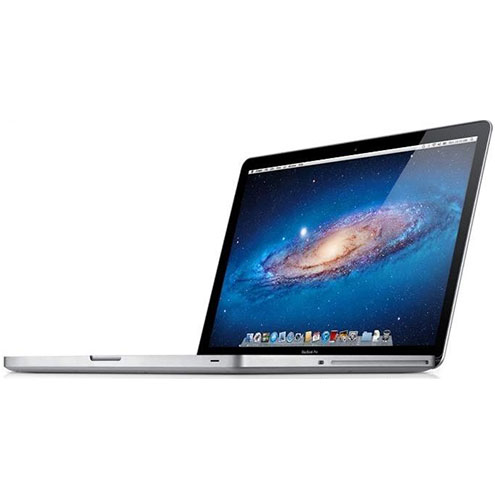
MacBook Pro 2.4Ghz Intel Core i5 4GB 500GB SuperDrive UNIBODY 13" MD313 Late 2011
$649.00 USD $329.00 USD -
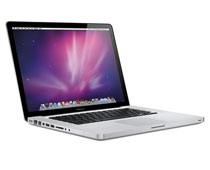
MacBook Pro 2.66GHz Intel Core 2 Duo 4GB 250GB DVDR UNIBODY 13" MC375 Mid 2010
$799.00 USD $664.00 USD -
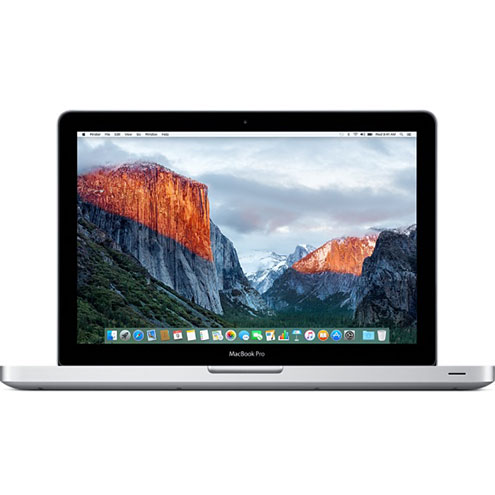
MacBook Pro 2.9GHz Intel Dual-Core i5 16GB 256GB Flash Storage 13" MF841 2015
$699.00 USD $459.00 USD